Donate via PayPal
A one-off or regular donation of any amount — directly to the Smart Sky Survey PayPal account.
Donate with PayPal Smart Sky Survey · Seestar Mosaic Manager is a spin-off of the Smart Sky Survey project.
 A Smart Sky Survey spin-offClosed beta
Seestar Mosaic Manager keeps the mosaics you plan in Telescopius or Stellarium as projects on your Mac or PC, puts the panels into your Seestar account and turns them into imaging plans you add to the Seestar app with a QR code.
Currently in closed beta · free donationware for macOS and Windows · for the Seestar S30 Pro and S50 Pro
Independent tool. Not made, endorsed or supported by ZWO. Use at your own risk.
Everything between planning a mosaic and imaging its last panel, in one desktop app.
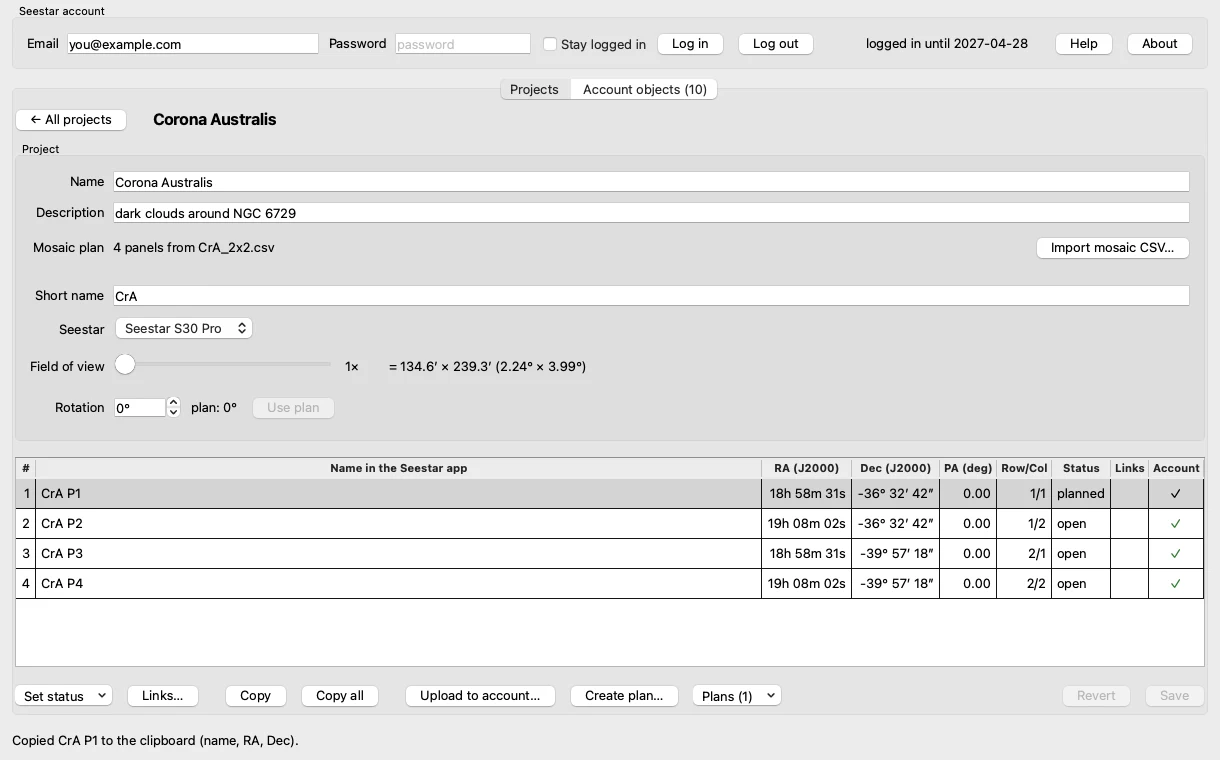
Import a Telescopius mosaic CSV — from Telescopius or the Mosaic Planner for Stellarium. The app recognises the Seestar model and framing factor and tracks every panel: open, planned, imaging, done, with links to your results.
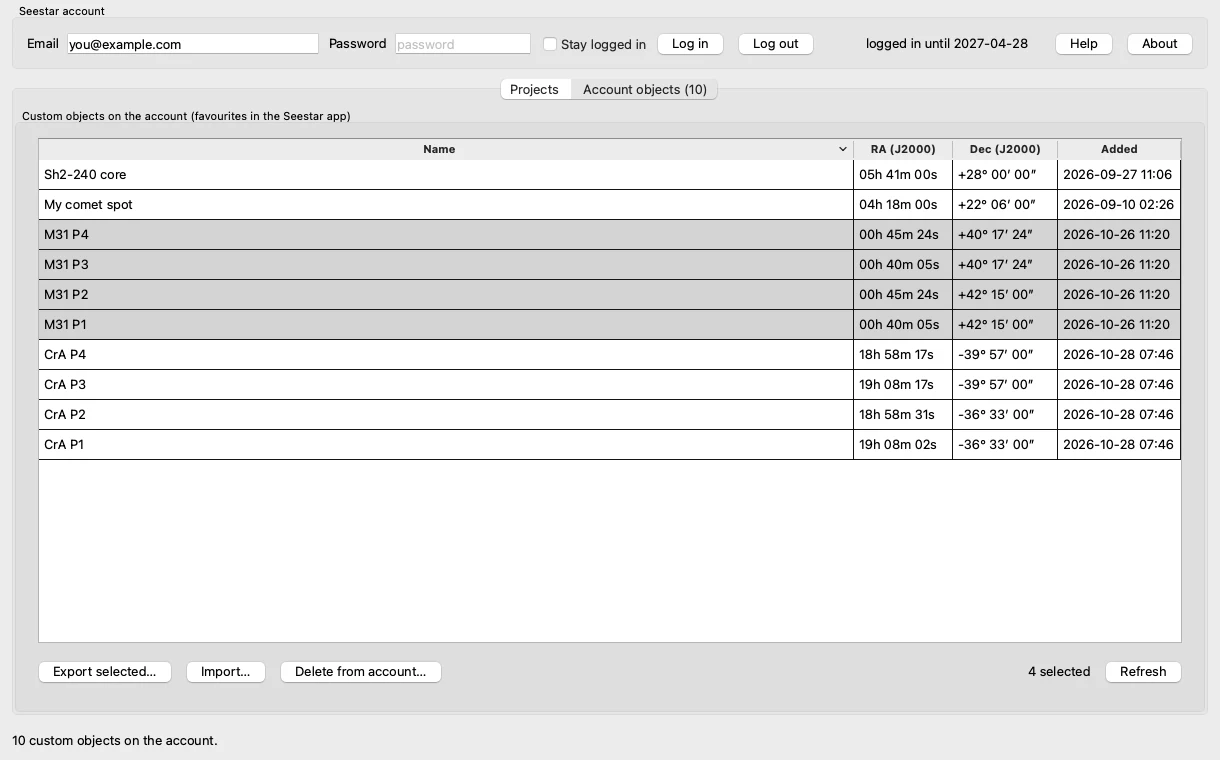
Upload the panels as custom objects to your own Seestar account. They show up among the favourites in the Seestar app on all your devices — no typing of coordinates.
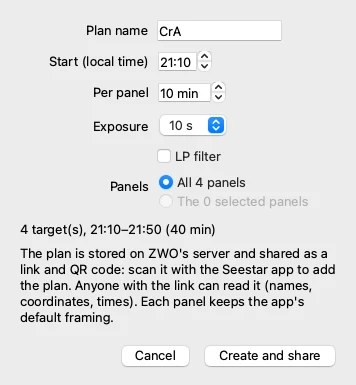
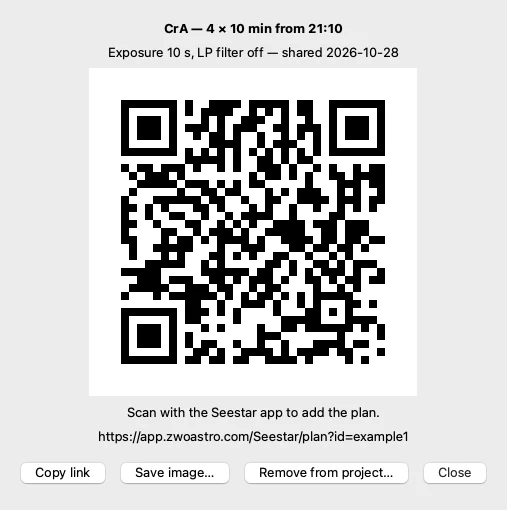
Turn the panels into a Seestar imaging plan — start time, minutes per panel, exposure, LP filter — and scan its QR code with the Seestar app.
List, export, import and delete the custom objects on your account. A copy is kept before anything is deleted.
Field of view, framing factor (1×–2×) and rotation for the S30 Pro and S50 Pro, with clear notes when the plan and the project don't match.
Keep the projects on this computer, in iCloud Drive or any synced folder. A built-in user guide, also as web page and PDF.
In Telescopius or with the Mosaic Planner for Stellarium, with your Seestar's field of view in portrait. Export it as Telescopius CSV.
“New from CSV” reads the panels; the app sets the Seestar model, framing factor and rotation.
Upload the panels to your account as favourites, or create a plan and scan its QR code with the Seestar app.
Mark panels as done and keep links to your stacks — until the mosaic is complete.
The app is currently in a closed beta and not publicly available for download. Would you like to test it? Write me a short e-mail with your Seestar model and your computer, and I'll send you the beta version. It is free for private, non-commercial use under the licence.
Beta software. Expect rough edges, and check your objects and plans before you observe. Feedback from testers decides what comes next.
Seestar Mosaic Manager costs nothing. If it saves you time at the telescope, please consider a donation: every donation goes to the Smart Sky Survey project — telescopes, hosting and processing for an open, growing night-sky survey.
A one-off or regular donation of any amount — directly to the Smart Sky Survey PayPal account.
Donate with PayPalSmall, quick and without an account: a virtual coffee keeps the night shifts going.
Support SmartSkySurveyDonations are voluntary and don't buy support or features. Smart Sky Survey is a private project, not a registered charity — donations cannot be issued a donation receipt. More ways to help: smartskysurvey.com/support.html
Seestar Mosaic Manager grew out of Smart Sky Survey, a citizen-science project that turns several compact smart telescopes into one coordinated array to survey the night sky. The mosaic tools needed there became this app.
Not related to ZWO. Seestar Mosaic Manager is an independent project by MiceInSpace Development. It is not made, endorsed or supported by ZWO. ZWO and Seestar are trademarks of their owner and are named only to say what the app works with.
Unofficial use of the Seestar account. The app uses the Seestar account service the way the Seestar app does, without ZWO's approval. ZWO may change or block that at any time, and the app may then stop working.
Use at your own risk. The app is provided as is, free of charge and without warranty. Check your custom objects, plans and panels before you observe, and keep backups of your projects.
Your data. The app talks only to your Seestar account. Your password is never stored. A shared plan can be read by anyone who has its link or QR code; it holds only names, coordinates and times.